* Due to BetaEvolutions editing a lot of stuff, it is highly recommended that you <span style="color:#AA0000;">do not use other mods</span> whilst using it.<br />
(Language file edits, terrain edits and so on, are compatible, so long as BetaEvo doesn't conflict with it.)
* This guide is written with MultiMC & its forks in mind; while you can install BetaEvolutions on other launcher other than the official one, support may not be provided.
* Make a ticket on [https://discord.retromc.org the Discord guild] if you're encountering issues.
* In the event you encounter an error related to Discord RPC & if the game shows up with broken colors, please reference the [[BetaEvolutions/Apple Silicon Mac install guide]].
# Launch MultiMC (or fork)/PrismLauncher, set up your account by clicking on the account selector in the top right corner, select {{button|Manage Accounts...}}, and then select {{button|Add Microsoft}}.
# Select {{button|Add Instance}}, and select <code>b1.7.3</code> as the version by enabling {{button|Betas}} and scroll through the list until you see it. Change the details to your liking and select {{button|OK}}.
# Right-click (or left-click; open context menu) the newly created instance, and select {{button|Edit}}, or select the same button on the sidebar after selecting the aforementioned instance.
# {{button|Version}} -> {{button|Add to Minecraft.jar}} -> Add the BetaEvolutions jar mod you downloaded.
#* Don't use the {{button|Mods}} tab for this! (Not unless a mod loader is used.)
# Go to: {{button|Settings}} -> Tick {{button|Java installation}} -> {{button|Auto-detect}} if you installed the JRE system wide.
#* If you downloaded the zip/tar archive, you simply extract it, select {{button|Browse}} in the instance settings, navigate to the extracted JRE -> <code>bin/java</code> and select that <code>java</code> file.
#* Under MS Windows, use <code>javaw.exe</code> instead.
# Launch the game via {{button|Launch}} and pray it works.
Authentication fixes (autologin on servers with its plugin)
Discord RPC
Staff-only nametag cosmetics
FoV slider
Public test versions
7n9 has released dev versions of BetaEvolutions on the RetroMC Discord guild (https://discord.retromc.org) and more features exist in it (b1.8 hand sway and item name above hotbar are 2 of them).
Link your account when you join the guild, and see the betaevo-testing channel, and open the pinned thread named "Changelog & How To Play" - same install instructions apply.
The workaround in BetaEvolutions/Apple Silicon Mac install guide is no longer needed, apart from M1Fix.
 JohnyMuffin, with
 7n9.
7n9.



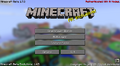 Public test version of BetaEvolutions.
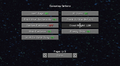 Client settings.
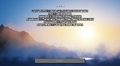 Credits screen.
 Isometric screenshot.
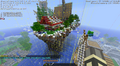 Chunk borders.
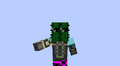 Flappy arm animation from versions before a1.0.9 and peak
 Noggisoggi media.


